QQ Adapter
KiraAI uses the OneBot protocol to connect to QQ. You can use the following QQ protocol implementations that support OneBot:
Configure Protocol Endpoint
After deploying according to the corresponding project's documentation, go to Network Configuration -> New -> WebSocket Server
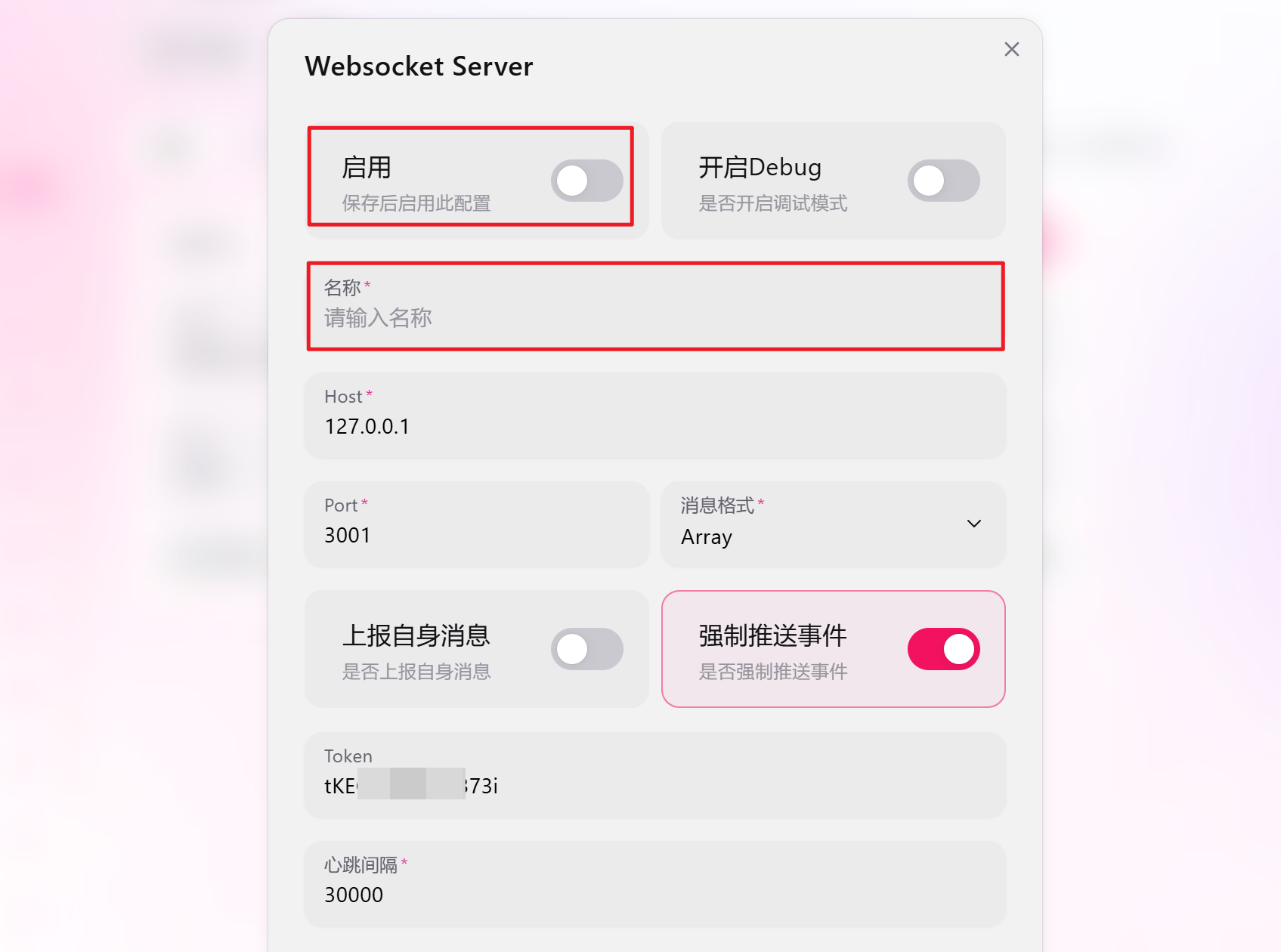
- Enter a custom name
- Configure
hostas needed. If KiraAI and the QQ protocol endpoint are on the same machine, no modification is needed. For Docker deployment, both containers should be in the same network andhostshould be changed to the network name - If deploying on public network, it's strongly recommended to keep the Token for security
- Enable and save after configuration
Add Adapter
Go to KiraAI WebUI, click "Add Adapter" button on the Adapter page, select adapter type as QQ. The adapter name is strongly recommended to use lowercase English letters and underscores with platform-related semantics, for example: qq, qq_alt
Fill in the network configuration from the QQ protocol endpoint into the adapter configuration, and configure whitelist or blacklist. Fill in QQ numbers and group numbers
After saving the adapter configuration, click the toggle to enable the adapter. Successful login will display the following information in the logs:
等待账号 xxxxx 的登录成功事件
账号 xxxxx 登录成功WARNING
Currently the adapter does not automatically reload after configuration changes. You need to toggle it manually once for the changes to take effect